Data Imports are here!
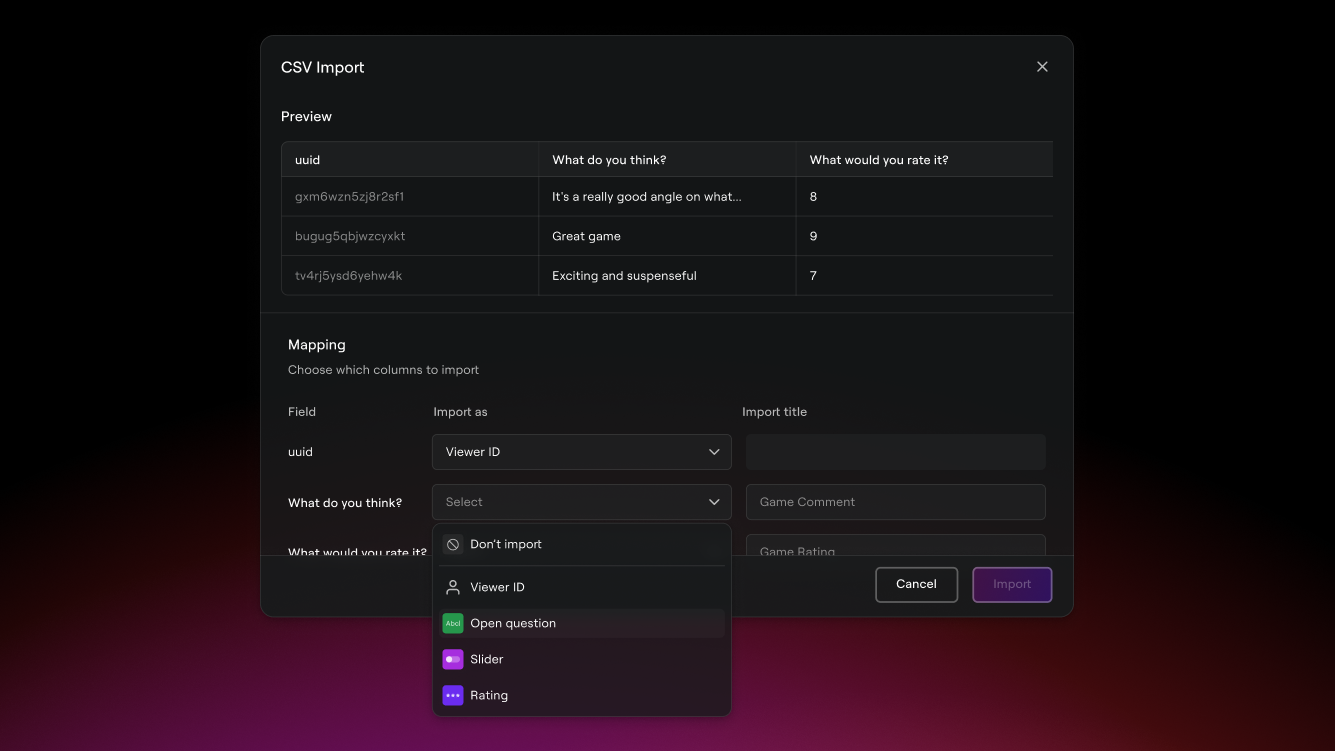
You can now bring external data into your Lumiere video dashboards. Imported data will get the same analysis and visualization treatment that native Lumiere data gets!
From any video dashboard, use the (…) menu at the bottom left to access the new “Import Data” function.
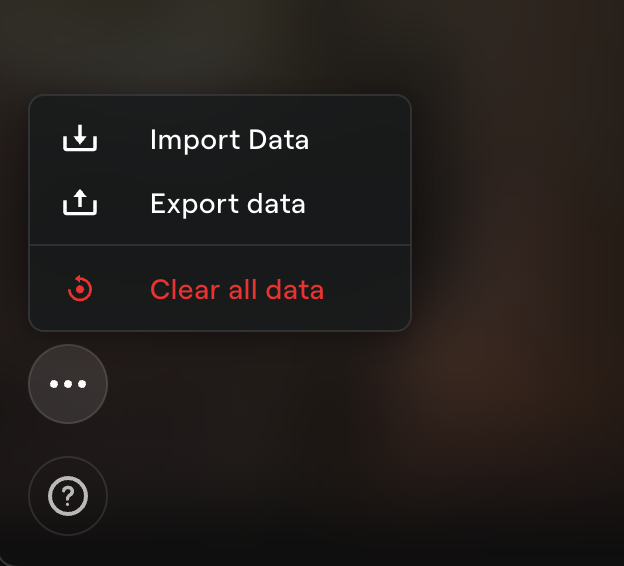
At the moment, only
.csvfiles are accepted.
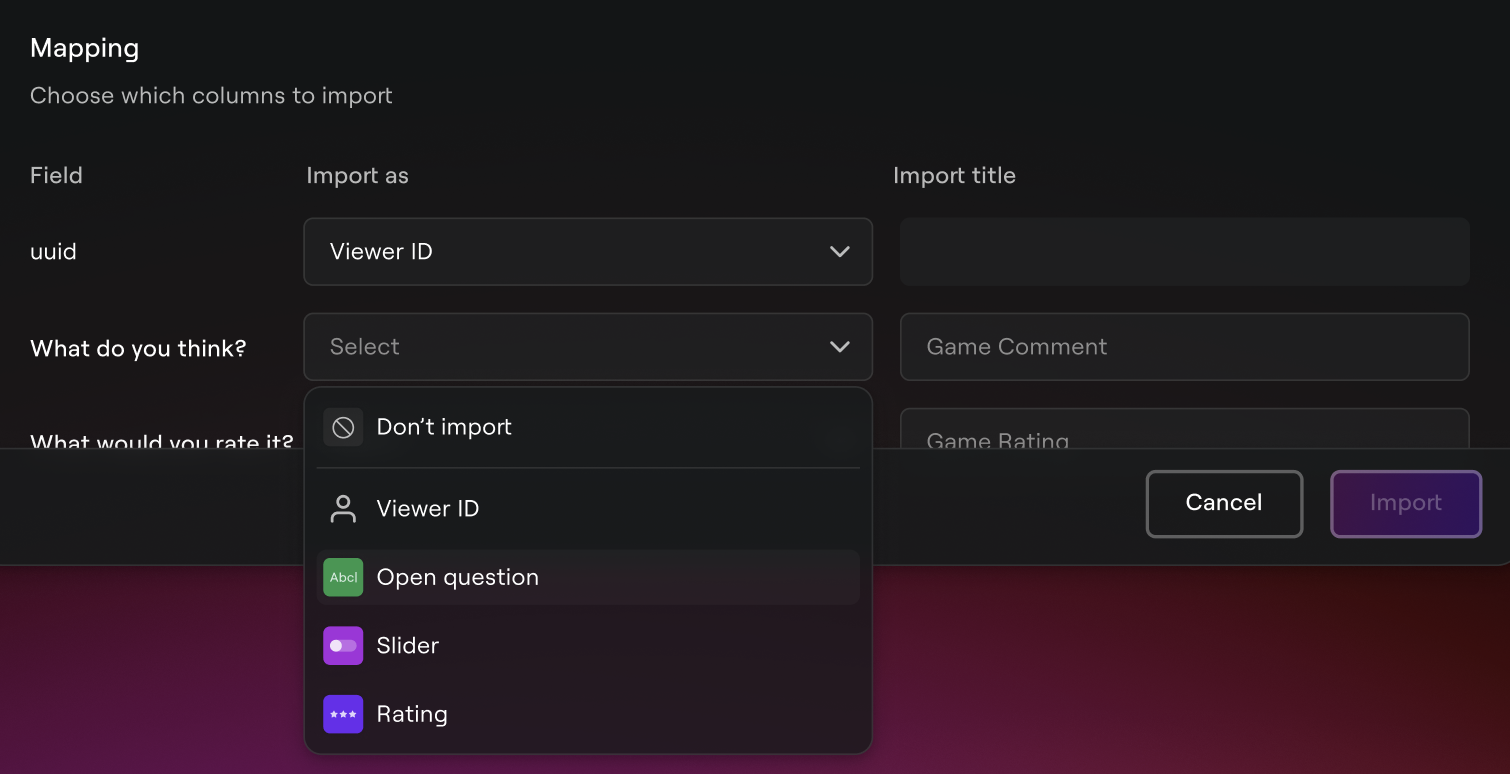
Then choose which columns you want to import from the file (and how). You can map external data to a handful of Lumiere question types - and the types you choose will affect how the data is processed and visualized.
When you’re done mapping, hit “Import”. Lumiere will start churning away behind the scenes to bring your data to life. No need to stay on the page during this process.
Be patient! With this beta release, imports can take a while to run and won’t be displayed in your dashboard until they are complete. We expect significant improvements to this process as we work to bring it to maturity.
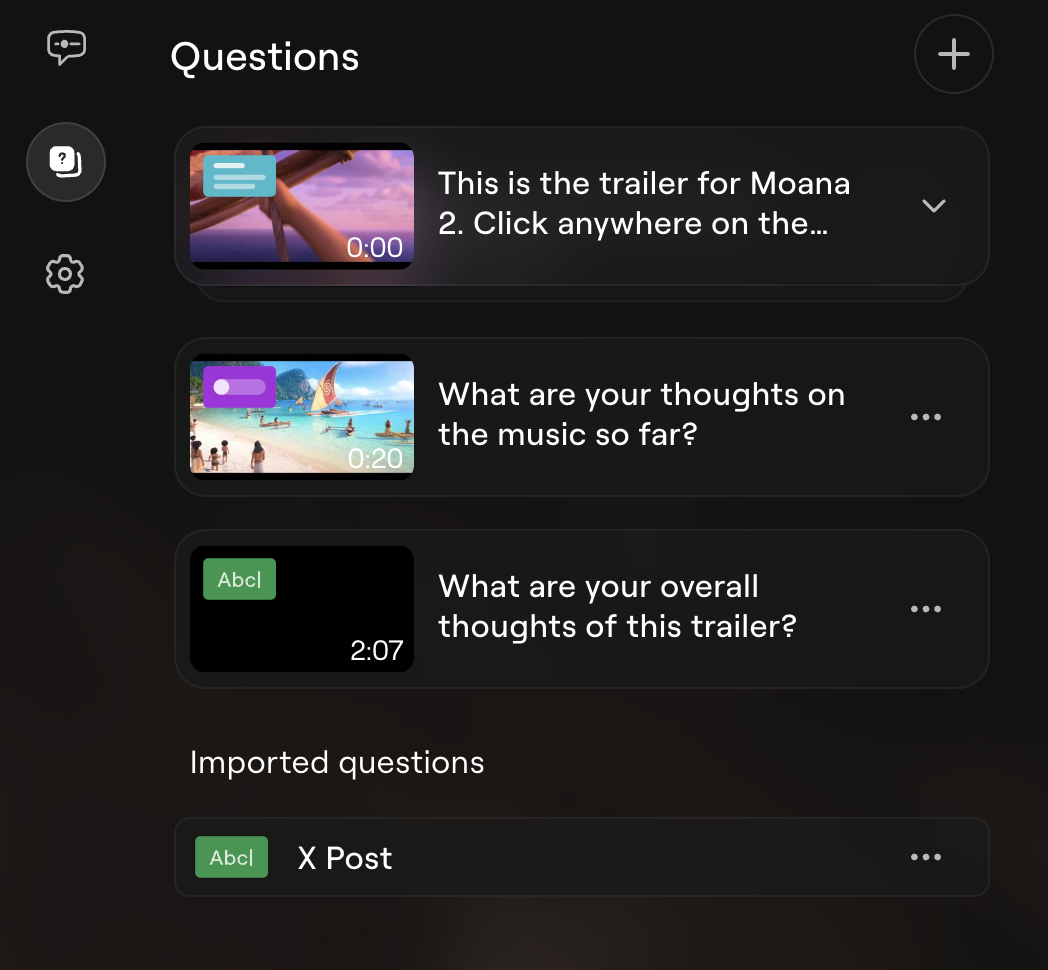
Imported questions will show up in the “Questions” dashboard page, directly below any native Lumiere questions.
Two other things to note:
Imported questions are visible to shared dashboard visitors.
If you map a column to the “Viewer ID” field, the imported data can be filtered on viewer ids just like any other data in the dashboard.
While the data import feature is in beta, expect to enounter some bugs. Use the in-app feedback tool to let us know if you encounter any issues.
Happy importing! 😊